How does the payroll company receive the vouchers?
Crew Support. Releasing vouchers.
The steps on the payroll company's side:
- Click Past Days on the calendar of shooting days.
- Click Receive Vouchers, then View Breakdown, next to a day that's approved and released.
- Download the vouchers and startwork from Check Startwork under the breakdown.
- Download the payroll spreadsheet under the breakdown.
- Create an edit and send it to Accounting for approval.
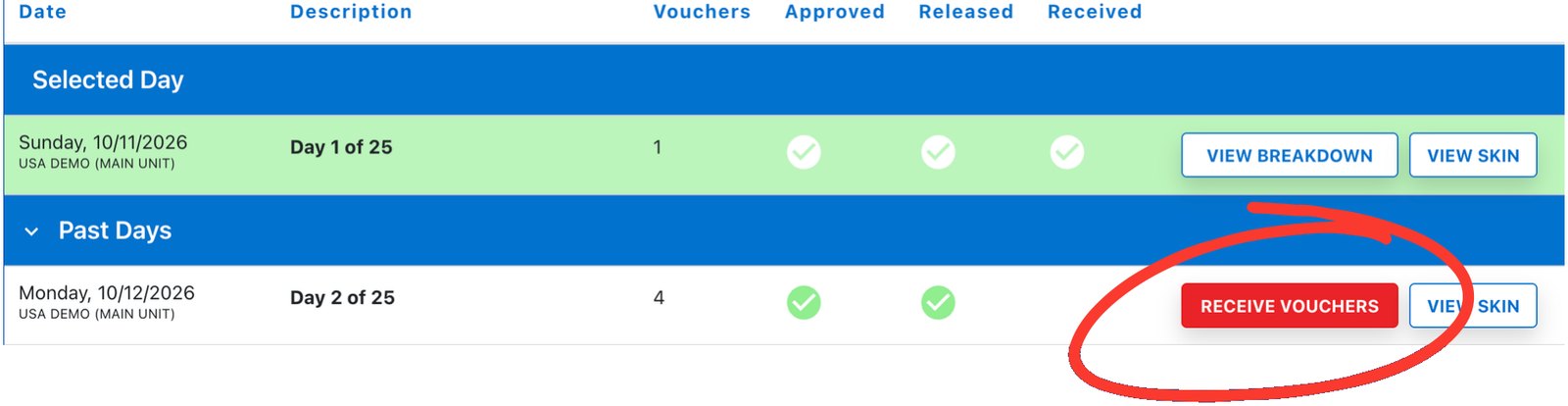
Note: A day can't be received in RABS until Accounting releases it.