How do I view or download vouchers?
Crew Support. Checking paperwork.
For one day
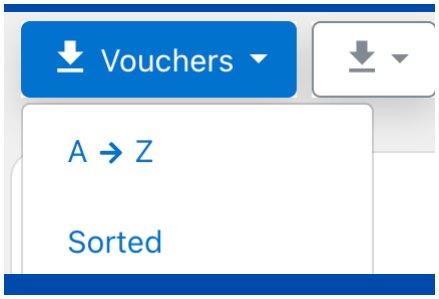
- Click Check Startwork at the bottom of the breakdown.
- Select the BG and click Vouchers, then choose the order: A to Z, or Sorted to match your breakdown.
For a date range
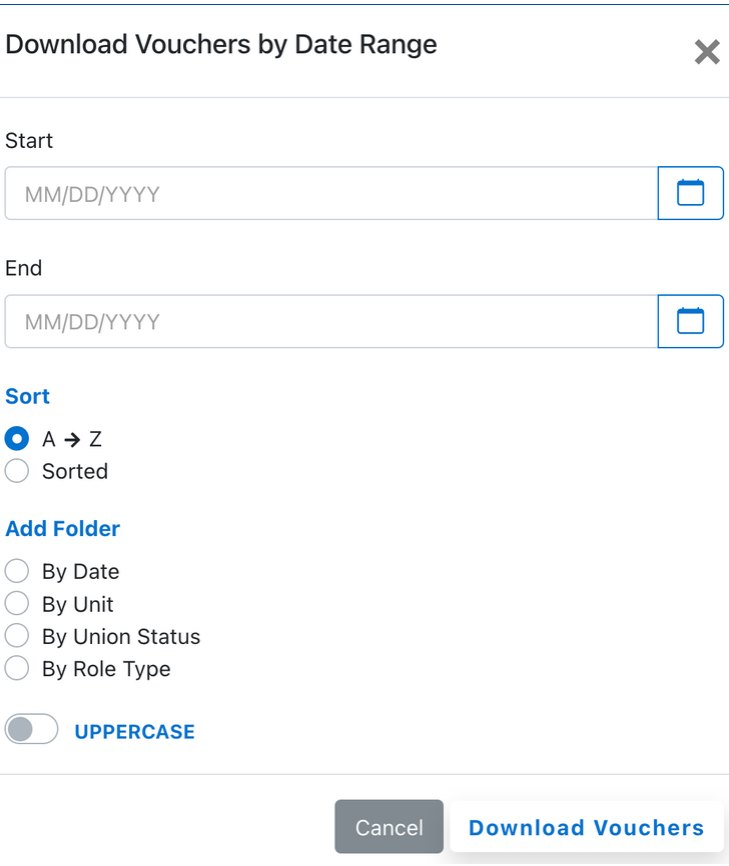
- Click DL by Date at the top of your shooting days tab.
- Enter the date range and choose how you want the vouchers organized. The days must be released.
- Click Download Vouchers.